How to Pay E-Challan via JazzCash in 2026 – Step-by-Step Guide for Punjab, Sindh & Islamabad. In 2026, paying a traffic E-Challan in Pakistan has become much easier. You no longer need to stand in bank queues or visit traffic offices again and again. With the JazzCash app, you can clear your challan right from your mobile in a few taps.
JazzCash E-Challan Payment (2026)
| Feature | Details |
|---|---|
| Supported Areas | Punjab, Sindh, Islamabad, Motorways |
| Payment Method | JazzCash Mobile App |
| Required Code | PSID (Payment Slip ID) |
| Verification Time | About 5–20 minutes |
| Service Fees | Around Rs 0 – Rs 10 |
| Max Payment Per Transaction | Up to Rs 50,000 |
| Receipt | In-app receipt + SMS |
| Support Helpline | JazzCash 4444 |
What Is an E-Challan in Pakistan?

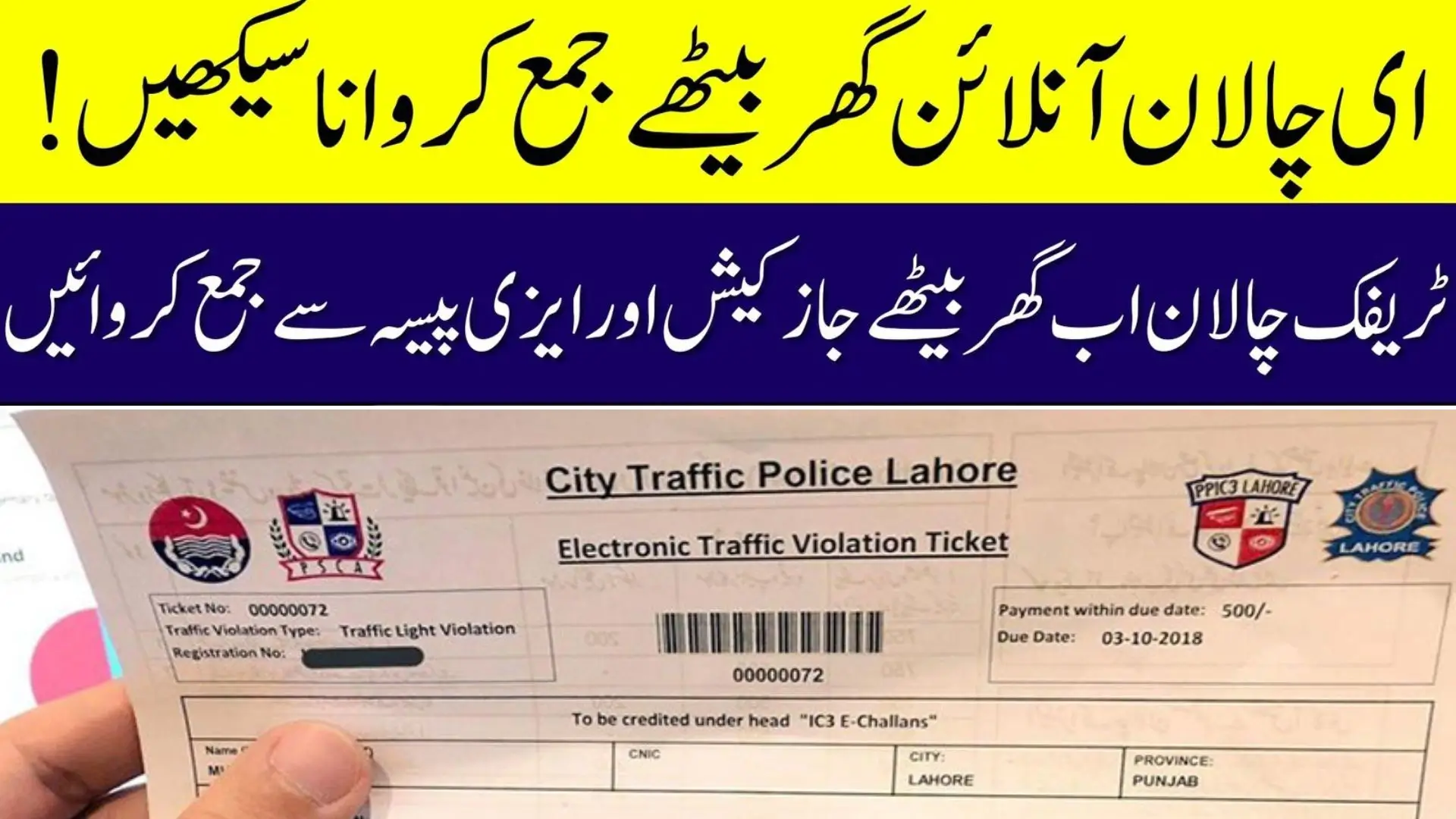
An E-Challan is a digital traffic fine issued by:
- Safe City cameras
- ANPR (Automatic Number Plate Recognition) technology
- Traffic wardens or highway/motorway police
Each E-Challan includes:
- Date and time of violation
- Vehicle number
- Type of violation (overspeeding, red signal, etc.)
- Fine amount
- A unique PSID (Payment Slip ID) for online payment
From 2026, almost all major traffic authorities in Pakistan support electronic challan payments via JazzCash, which makes the process quick, secure, and fully recorded.
Why Use JazzCash to Pay Your E-Challan?
JazzCash is one of the easiest ways to clear your traffic fines because:

- You don’t need to visit a bank branch
- You can pay 24/7 from your home or office
- Payment is usually updated in the Safe City/Police system within minutes
- You get a digital record of your payment
Key benefits:
- Instant digital payment
- Works in Punjab, Sindh, Islamabad and Motorways (with PSID)
- No paperwork or form filling
- Easy to track and verify status online
Requirements Before You Start Payment
Before you try to pay your E-Challan via JazzCash, make sure you have:
- Latest JazzCash mobile app installed
- Active JazzCash account with enough balance
- Registered mobile number & valid CNIC
- Correct PSID of your E-Challan
The PSID is the most important detail. If even one digit is wrong, the system will not find your challan.
How to Find Your E-Challan PSID (2026 Updated)
You can get your E-Challan PSID from the official portals of your area.

Punjab – PSCA (Lahore & Other Cities)
- Open: echallan.psca.gop.pk
- Enter Vehicle Number and CNIC
- View pending challans
- Note down or screenshot the PSID
Sindh – Safe City Karachi / Sindh Police
- Open: challan.sindhpolice.gov.pk
- Enter Vehicle Number
- Check the list of challans
- Copy or save the PSID
Islamabad Traffic Police
- Open: islamabadcitypolice.gov.pk/challan
- Enter your Vehicle Number
- View outstanding E-Challan(s)
- Note the PSID carefully
Always double-check your PSID. One wrong digit and the payment will fail or go to the wrong record.
How to Pay E-Challan via JazzCash – Step-by-Step
Follow these steps exactly as they appear in the JazzCash app:
- Open the JazzCash App
- Log in using your MPIN or fingerprint.
- Go to the Payment Section
- Tap on “Payments”
- Then select “Government”
- Choose “Traffic Challan”
- Select Your Region
- Punjab
- Sindh
- Islamabad
- Enter Your PSID
- Type the PSID exactly as it appears on the challan/portal.
- Avoid extra spaces or missing digits.
- Verify Challan Details
- The app will automatically display:
- Fine amount
- Vehicle number
- Challan reference / violation details
- The app will automatically display:
- Confirm & Pay
- Check that everything is correct.
- Tap “Pay Now”.
- Save Your Receipt
- You will receive:
- An in-app digital receipt
- An SMS confirmation from JazzCash
- You will receive:
In most cases, your challan status changes to “Paid” in about 5–20 minutes, depending on the Safe City or police server load.
JazzCash E-Challan Limits & Charges (2026)
JazzCash allows payment of most normal traffic fines, but there are a few limits you should know.

Payment Limits
| Amount Range | Status |
|---|---|
| Up to Rs 50,000 | Allowed in one transaction |
| Above Rs 50,000 | Not allowed in a single payment |
For very high fines, you may need to:
- Split the payment (if allowed by the system) or
- Use an alternative payment method as guided by the traffic authority
Service Charges
- Usually, Rs 0 – Rs 10 per transaction
- No hidden extra charges from JazzCash
- The exact fee is shown on the confirmation screen before payment
How to Confirm If Your E-Challan Is Paid
After making the payment, never rely only on the SMS. Always verify from the official portal.
1. Punjab PSCA Portal
- Go back to echallan.psca.gop.pk
- Enter your Vehicle Number + CNIC
- Check the challan status:
- If it shows “Paid”, your fine is cleared
2. Sindh Police / Safe City Karachi
- Open challan.sindhpolice.gov.pk
- Enter the Vehicle Number
- Status will show “Cleared” or disappear from pending list
3. Islamabad Traffic Portal
- Visit islamabadcitypolice.gov.pk/challan
- Enter the Vehicle Number
- If the challan has been cleared, it may:
- Show as Paid, or
- No longer appear under pending/challan list
If the system still shows your challan as unpaid, wait 20–40 minutes and refresh again.
Common Problems & Quick Fixes (2026 Updated)
Here are some issues that people often face while paying E-Challan through JazzCash and how you can fix them:

1. “Challan Not Found” or “Invalid PSID”
- Recheck every digit of the PSID
- Confirm you selected the correct region (Punjab/Sindh/Islamabad)
- Make sure your challan is still active and visible on the portal
2. Payment Deducted but Challan Still Unpaid
- Wait at least 30 minutes
- Refresh the relevant portal (PSCA/Sindh/Islamabad)
- Take screenshots of:
- JazzCash receipt
- Portal showing unpaid status
- If still not updated after an hour, contact the helpline.
3. JazzCash App Crash or Error
- Update the app to the latest version
- Clear cache or reinstall the app if needed
- Ensure you have stable internet
4. Wrong Vehicle Showing
- Do not confirm payment if vehicle number is wrong
- Go back and re-enter the PSID
- If details are still wrong, contact the traffic helpline before paying
Important Helplines for E-Challan & JazzCash
If something goes wrong, use these official numbers for support:
- JazzCash Helpline: 4444
- Punjab Safe Cities Authority (PSCA): 15
- Sindh Police Helpline: 1915
- Islamabad Traffic Police: 1915 / 15
- Motorway Police (NHMP): 130
Keep your CNIC, vehicle number, PSID and JazzCash receipt ready before calling. It helps them resolve your issue faster.
Safety & Practical Tips
- Always pay challans using official portals and the official JazzCash app
- Never share your MPIN, OTP or account details with anyone on call or WhatsApp
- Download or screenshot your payment receipt immediately
- Regularly check for pending challans, especially before:
- Selling your vehicle
- Long trips
- Renewing registration or token tax
Conclusion
Paying an E-Challan via JazzCash in 2026 is one of the simplest ways to clear your traffic fines in Pakistan. With a valid PSID, an active JazzCash account, and the correct steps, you can complete the entire process in a few minutes without visiting any office or bank.
By following the guide above, double-checking your PSID, and confirming the status on official portals, you can avoid vehicle blocking, late fees and unnecessary hassle on the road.

FAQs – JazzCash E-Challan Payment
1. How long does it take for an E-Challan paid via JazzCash to update?
Usually, the challan status changes to Paid within 5–20 minutes. Sometimes, it can take up to 30–40 minutes if the server is busy.
2. Is there any extra fee for paying E-Challan through JazzCash?
JazzCash does not charge heavy fees. Normally, a small service charge of around Rs 0–10 is applied per transaction and is shown before you confirm payment.
3. Can I pay a Motorway or Highway challan via JazzCash?
Yes, you can pay Motorway and Highway challans with JazzCash as long as you have a valid PSID issued by NHMP or the relevant authority.
4. What happens if I enter a wrong PSID in JazzCash?
If the PSID is wrong, the system will normally not fetch any challan details, and payment will not go through. Always verify the challan details before tapping “Pay Now”.
5. Can I pay someone else’s E-Challan from my JazzCash account?
Yes, you can. As long as you have their correct PSID and sufficient balance, you can pay on their behalf. Just make sure you share the receipt with them.
6. My payment is deducted but portal still shows challan as unpaid. What should I do?
Wait at least 30 minutes and refresh the portal. If it still shows unpaid, contact JazzCash helpline 4444 and your respective traffic authority helpline with your receipt details.
7. Do I still need to visit a bank after paying via JazzCash?
No. If your portal status shows Paid/Cleared and you have the JazzCash receipt, you do not need to visit any bank. Your payment is already recorded digitally.